
Most nights, I fall asleep to a story. An audiobook or a podcast plays for a while, then it quietly fades into the sound of ocean waves and thunder, and I’m out, without ever touching my phone.
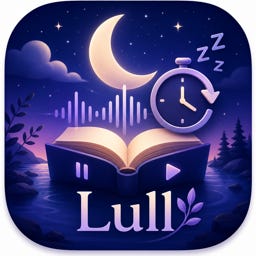
I could never find an app that did that, so I built one. It’s called Lull. This isn’t my usual real estate post, but I’m genuinely excited about it, and I’m giving it away.
The app is free for everyone, here’s the App Store link:
👉 https://apps.apple.com/us/app/lull-audiobooks-podcasts/id6775313582
That gets you the whole thing: the audiobook and podcast player, the sleep timer, the sounds, all of it.
The paid part, Premium ($6.99), is mostly the Apple Watch and AirPods sleep features, so if you don’t have a watch you may not need it. But if you do, or you just want to support the app, I’m giving Premium away free here too:
👉 https://apps.apple.com/redeem/?code=SUBSTACK&ctx=offercodes&id=6775313582
That second link lives out on the open internet, so it expires this Saturday, June 27. Grab it soon, and let me know if you run into any bugs.
For those who don’t know, I started my real estate career when I was teaching English Lit, and I’ve always been a huge fan of stories. I love audiobooks and podcasts. I also prioritize sleep, a lot. I know myself, and I need it.
When I built this app I had two goals in mind. One was to get rid of a recurring subscription I was paying to a white-noise app. The other was to solve a problem nobody else seemed to have, or at least a problem for me and anyone who cares about good sleep hygiene. I love falling asleep to books or podcasts, and I find night noises really helpful, but I’d never use them on the same night. I really don’t like looking at my screen once I’m winding down, even with night mode on, since screens at night are bad sleep hygiene, and I didn’t want to be tapping around to switch between a book and my sounds. So I thought, why not make an audio player that just fades into sleep sounds on its own?
So that’s what Lull does. You press play on a book or podcast, set a sleep timer, and put the phone down. You can give it a length, or have it stop at the end of the chapter. When it runs out, your story fades into whatever sound you picked and that carries you the rest of the night. If you wake up, a tap on your headphones or a shake of the phone brings the book right back and resets the timer, so you never have to look at the screen. If you use a Bluetooth sleep headband, like I do, I also built some logic in that prevents your book from skipping around if you roll on the headset!
The rest of the time, it’s a full audiobook and podcast player. You can start right away with free public-domain books from LibriVox, add podcasts by name, import your own .m4b or .mp3 files straight from the Files app, or connect your own library if you run Plex or Audiobookshelf. Everything you’d expect is there: adjustable speed, skip silence, offline downloads, bookmarks, playback that picks up right where you left off, and it all syncs across your devices through iCloud. It plays anywhere, including CarPlay.
The sounds matter to me too. There are over 20 to choose from, rain, ocean, fireplace, fan, birdsong, brown noise, and more, and you can mix several together and save your own blends. You can run them on their own as a plain sound machine, or use the ambient mode, which plays a soft sound under the narration while you listen, so the story sits on a little bed of rain or a fan instead of dead quiet.
The Premium features (the $6.99 I’m giving away) are mostly about the Apple Watch and AirPods, so this is the part to grab if you’ve got either. With them, Lull can tell when you’ve actually fallen asleep, fade the book out on its own, and rewind to the spot where you drifted off, so in the morning you’re right where you left the story. There’s a Smart Nap that counts from when you really fall asleep rather than from when you hit play, a gentle wake alarm that can wake you back into your book, the option to listen straight from your wrist with the phone left behind, sleep insights pulled from your watch’s data, and even optional night recordings that catch things like snoring. You can also bring in your own sleep sounds.
It’s working fairly well for me, but it’s a sample size of one, which is honestly one of the big reasons I’m handing out free codes. I’d love testers, especially on the sleep features. Go into all of them, including Smart Nap and the wake alarm, and tell me how they hold up.
I’ve also been working on some better podcast and library features lately, like playlists and smarter browsing, which are part of a 1.2 update that’s waiting on Apple’s approval right now.
That’s it. Go fall asleep to a good story, and let me know how it treats you.
This article was originally published on our Substack newsletter. Subscribe to get new posts delivered to your inbox.
Licensed Real Estate Agent · The Feldman Group at RLAH@properties
Serving Montgomery County, MD — including Potomac, Bethesda, Rockville, and beyond. Get in touch · 301-564-3058
You May Also Enjoy
Your Neighbor's Rent Is Set by an Algorithm. Rockville Just Said No.
Here's Why Homeowners Should Care
Think Twice Before You File That Water Damage Claim
The small leak you report today can quietly cost you thousands when you sell.
When Maryland's Property Records Go Dark: What the SDAT Outage Means for You
A week into the state's "suspicious activity" investigation, here's what we know, and what every Mar...